The AI Audio Tool: A Complete Guide to AI Voice Generation
How to use WorkCrafter's AI audio tool — 18 voices across 29 languages, when to use speech vs. voiceover styles, prompt tips, credit costs, and how to get natural-sounding results from text to speech.
By the WorkCrafter team · how we write these guides
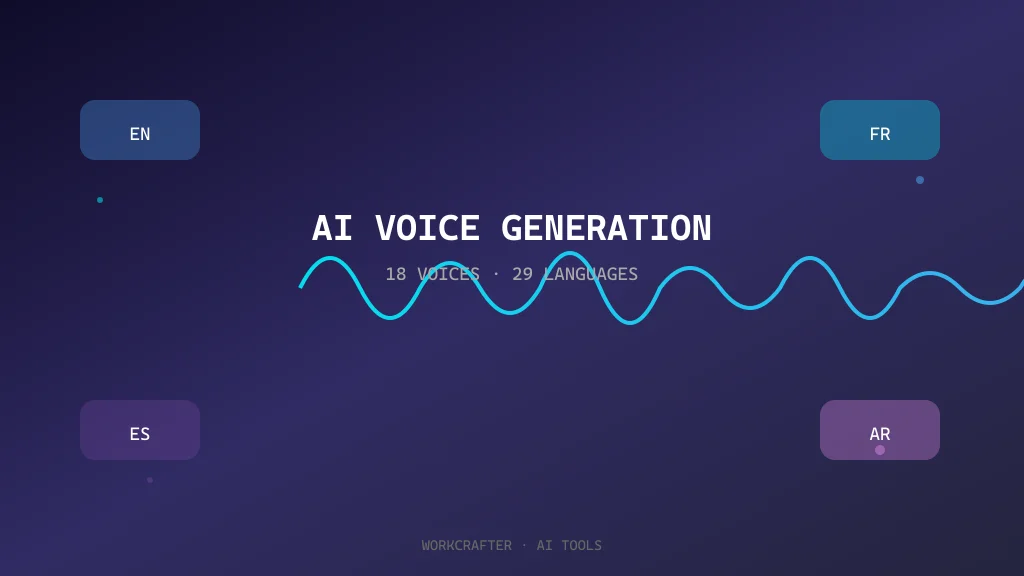
WorkCrafter's audio tool turns written text into spoken audio in seconds. With 18 voices spread across 29 languages, it covers everything from a quick narration in English to a multilingual voiceover for a product video. This guide explains how it works, how to pick the right voice, and the habits that get you usable audio instead of robotic-sounding output.
What the audio tool does
You paste or type text, choose a voice, and the tool generates an audio file you can listen to, download, and reuse. It's built for real work: explainer videos, product demos, educational content, social clips, and any situation where a human recording is too slow or too expensive. The voices are natural enough for most public-facing content, but the tool is still an assistant — the output is only as good as the text you give it.
Choosing a voice
The tool offers 18 voices across 29 languages. The right voice depends on what you're making and who's listening. A few rules of thumb:
- Match the voice to the language of your text. A voice trained on English reads English text more naturally than a voice trained on another language reading English.
- Match the voice to the mood. Some voices lean warm and conversational; others are more neutral and informational. Pick the one that fits the context.
- For narration, choose a clear, steady voice. For character work or creative pieces, experiment with voices that have more personality.
- When in doubt, generate two or three versions and compare them. A voice that sounds right on a short test often reveals its strengths on a longer piece.
The language coverage is broad, but each voice has a home language it handles best. If you're generating audio in a language that isn't your first language, test a short sample first — accents and emphasis can surprise you.
Writing text that sounds good spoken aloud
Text written for reading and text written for listening are not the same. A sentence that looks clean on a page can sound clunky when spoken. A few habits make a big difference:
- Write shorter sentences. Long, nested sentences tend to sound rushed or confused when spoken.
- Use punctuation deliberately. Commas, periods, and line breaks tell the voice where to pause. Without them, the audio can run on.
- Spell out anything that would be ambiguous when spoken: abbreviations, symbols, and numbers often need to be written out explicitly.
- Read the text aloud before generating. Anything you stumble over in your own voice will probably sound awkward in the generated audio.
- Avoid visual formatting that doesn't translate to audio: tables, bullet lists with complex nesting, and inline markup usually need to be flattened into prose.
“A good voiceover script is written for the ear, not the page. If you wouldn't say it to someone, the voice probably shouldn't either.”— WorkCrafter
The most common mistakes
A few mistakes show up repeatedly. Avoiding them saves credits and frustration:
- Pasting an entire article without editing it for spoken flow. The tool will read it, but the result will sound like a machine reading an article — functional but not compelling.
- Ignoring the language of the voice. A French voice reading English text, or an English voice reading French text, usually sounds off.
- Overloading the text with information. Spoken audio has less bandwidth than a page. If you need a lot of detail, consider splitting the piece into several short audio clips rather than one dense file.
- Forgetting to check pronunciation of names, technical terms, and unusual words. If a word matters, write it phonetically or test it in a short sample first.
- Assuming the first take is the final take. Small wording changes often improve the result more than regenerating with a different voice.
When to use generated audio instead of a human recording
AI voice generation is a tool, not a replacement for everything. It works particularly well when:
- You need audio quickly and a recording setup isn't available.
- You need multiple languages from the same script.
- You're producing content at volume — dozens of short clips, product descriptions, or localized messages.
- The voice doesn't need to carry strong emotion or a distinctive personal brand.
- You want a consistent voice across many pieces of content.
Human recording still wins when the voice itself is part of the brand, when emotional nuance is critical, or when the performance needs to be genuinely expressive rather than clearly spoken. In those cases, generated audio can be a starting point — a draft you refine — rather than the final product.
Practical workflows
A few workflows that work well with the audio tool:
- Script first, generate second. Write the text with the spoken form in mind, test a short sample, then generate the full piece.
- Generate in short sections. If a piece is long, break it into manageable chunks. Each chunk is easier to review, easier to fix, and less risky to regenerate.
- Use the same voice across a series. Consistency matters more than finding the single perfect voice. Once you find a voice that works for a project, reuse it.
- Download and review in context. Listen to the audio in the setting where it will be used — over speakers, with background music, in a video timeline — not just in the browser.
- Keep a voice log. If a voice worked well for a particular kind of content, note it. That saves time on the next piece.
What it costs
Audio generation on WorkCrafter costs credits — the exact amount depends on the length and the voice, and you can see the cost before you generate. Failed generations are refunded, so short tests are cheap. For most users, the biggest cost control is writing better source text, because cleaner input means fewer regenerations.
Frequently asked questions
Can I use generated audio commercially?
Yes, the audio you generate is yours to use in your own content. As always with AI-generated material, make sure the underlying text and the context of use are appropriate — especially for anything public-facing or branded.
Why does my audio sound robotic?
Usually the text is the problem, not the voice. Long sentences, missing punctuation, and text written for reading rather than listening all contribute. Fix the script first, then regenerate. If the voice still sounds off, try a different one.
Can I mix languages in one audio file?
You can, but the result depends on the voice and the switch between languages. For the cleanest result, keep one language per generation when possible, or test a mixed sample first. If you need several languages in one piece, generating separate clips and combining them is often cleaner than forcing one voice to switch.
What's the best way to get natural emphasis?
Write the text the way it should be spoken. Punctuation, sentence breaks, and deliberate line breaks all help. If emphasis still isn't landing, rephrase the sentence so the important part naturally falls where a speaker would stress it, rather than relying on the voice to figure it out.
When should I use a human instead?
When the voice is part of the identity of the piece — a brand narrator, a character, a highly emotional script — human performance is still the better choice. Generated audio is excellent for volume, speed, and consistency, but it's not a substitute for genuine performance when performance is the point.