AI Content Creation Tools: A Comprehensive Guide for 2026
A complete guide to AI content creation tools in 2026 — text, image, video, audio, and code generators. Compare features, pricing, and find the right tool stack for your workflow.
By the WorkCrafter team · how we write these guides
Content creation in 2026 looks nothing like it did five years ago. What used to require a team of specialists — a writer, a designer, a video editor, a voice actor — can now be done by a single person armed with the right AI tools. But with hundreds of AI content tools launching every year, choosing the right ones for your workflow can feel overwhelming.
This guide breaks down the AI content creation landscape by content type — text, image, video, audio, and code — so you can build a tool stack that actually fits your needs. Whether you're a solo creator, a marketing team, or a business building content operations, you'll find practical recommendations and a clear picture of what each tool category can (and can't) do.
The AI Content Creation Landscape in 2026
The first thing to understand is that "AI content creation" isn't one thing — it's a collection of very different tools solving different problems. A tool that generates blog posts is fundamentally different from one that generates video clips, even though both are "AI content tools."
Broadly, the landscape breaks down into five categories:
| Category | What It Creates | Examples | Best For |
|---|---|---|---|
| AI Text / Writing | Blog posts, articles, copy, scripts, emails | Claude, GPT-4o, o3-mini, Gemini, Mistral, local LLMs | Written content, ideation, drafting, editing |
| AI Image Generation | Photos, illustrations, graphics, logos, thumbnails | Flux, DALL-E 3, Midjourney, Stable Diffusion, Ideogram | Visual content, social media graphics, blog images |
| AI Video Generation | Video clips, animations, edited video, voiceovers | Runway, Luma, Pika, Kling, Sora, Veo | Video content, short-form social, explainers |
| AI Audio / Voice | Voiceovers, narration, music, sound effects | ElevenLabs, ACE-Step, Suno, Udio | Voice content, podcasts, music, audio production |
| AI Code / Technical | Code, scripts, automations, technical content | Claude Code, GPT-4o, Codex, Cursor | Technical content, automation, development |
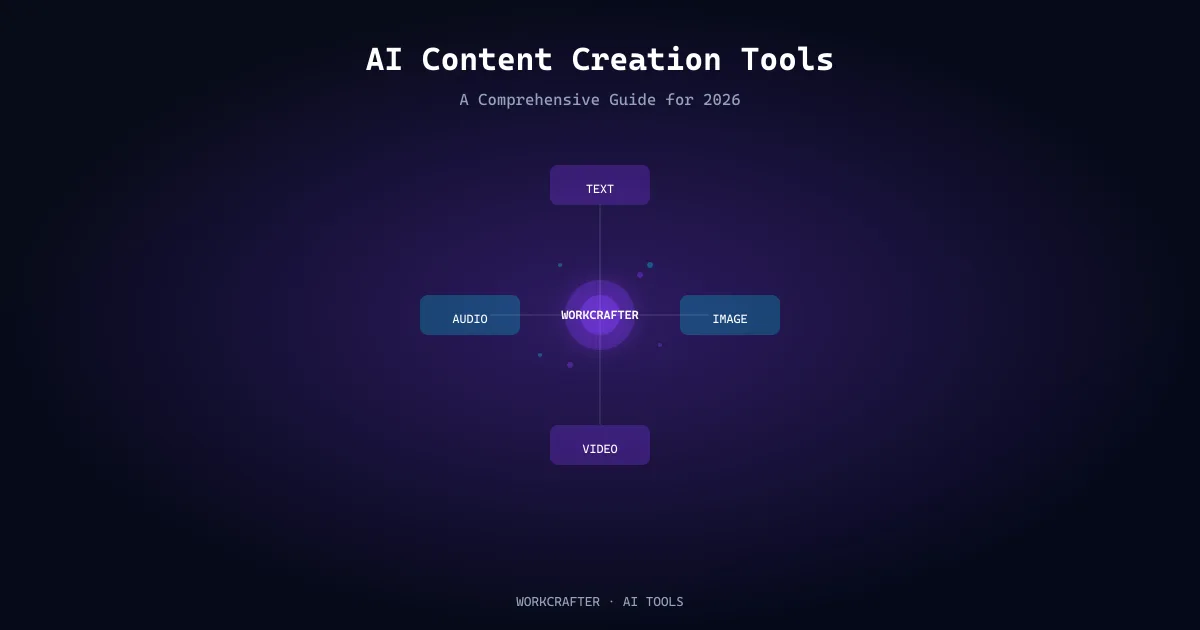
The most powerful content operations today combine tools across multiple categories — generating a blog post with AI text, illustrating it with AI images, and potentially producing a companion video with AI video tools. Platforms that consolidate multiple AI models into a single workspace (like WorkCrafter) are growing in popularity because they reduce the friction of switching between tools.
AI Text and Writing Tools
AI writing tools are the most mature category in AI content creation. They can draft articles, brainstorm ideas, rewrite content, generate outlines, write meta descriptions, and even produce full blog posts. But quality varies significantly depending on the model and how you use it.
Top AI Writing Models in 2026
Claude (Anthropic)
Claude models (Sonnet, Opus, Haiku) are widely regarded as some of the best for writing tasks. They excel at long-form content, maintaining coherence across thousands of words, following complex instructions, and producing natural-sounding prose. Claude is particularly strong for:
- Long-form articles and guides
- Content that requires nuanced understanding
- Editing and improving existing content
- Writing with a specific tone or voice
GPT-4o and GPT-4o Mini (OpenAI)
GPT-4o is OpenAI's flagship model, offering strong performance across a wide range of tasks. GPT-4o Mini is a smaller, faster, cheaper alternative that still produces high-quality output for many writing tasks. GPT models are well-suited for:
- Quick drafts and ideation
- Marketing copy and social media content
- Summarization and rephrasing
- Content in multiple languages
o3-Mini (OpenAI)
o3-Mini is OpenAI's reasoning-focused model optimized for speed and cost. It's particularly good at tasks that require logical structuring, such as:
- Structuring complex articles
- Creating detailed outlines
- Technical writing and documentation
- Content that requires step-by-step reasoning
Gemini (Google)
Gemini models offer strong multimodal capabilities, meaning they can understand and generate content that combines text with images and other media. This makes them particularly useful for content workflows that involve multiple media types.
Mistral and Other Open Models
Mistral models (including Mistral Large) offer competitive performance, often at lower cost. They're a good option for teams that want strong writing capabilities without the pricing of premium models.
Open-Source Models
A growing option in 2026 is running open-source models. Models like DeepSeek-R1, Qwen3, Granite, and Ministral can be accessed through cloud APIs or downloaded for local use, giving you:
- Privacy — content never leaves your machine
- No per-token cost — pay only for your hardware
- Customization — fine-tune or prompt-engineer to your needs
- Offline capability
The tradeoff is that some open-source models generally produce lower-quality output than top-tier cloud models, and require technical setup. They're best for draft generation, experimentation, and privacy-sensitive content.
What AI Text Tools Are Best At
- Generating first drafts quickly
- Brainstorming topics and angles
- Rewriting and improving existing content
- Creating outlines and structures
- Writing different content types (blog posts, emails, social copy, scripts)
- Scaling content production
What AI Text Tools Struggle With
- Original research and firsthand expertise
- Fact-checking and accuracy (they can hallucinate)
- Developing a truly distinctive, authentic voice
- Deep analysis and critical thinking
- Content that requires personal experience
AI Image Generation Tools
AI image generators create visuals from text descriptions, and they've become remarkably capable. They're used for blog illustrations, social media graphics, thumbnails, marketing visuals, and even original artwork.
Major AI Image Models
Flux (Black Forest Labs)
Flux is one of the leading open image generation models in 2026, available in several versions (Flux.1 [pro], [dev], [schnell]). Flux produces high-quality, realistic images and handles complex prompts well. It's a strong choice for:
- Photorealistic images
- Blog and article illustrations
- Product and concept visualization
- Custom graphics for content
DALL-E 3 (OpenAI)
DALL-E 3 is known for following prompts accurately and generating creative, well-composed images. It integrates well with ChatGPT workflows and produces high-quality results for a wide range of image types.
Midjourney
Midjourney is popular for its artistic quality and distinctive aesthetic. It excels at creative, stylized images and has a strong community. It's particularly good for:
- Artistic and stylized visuals
- Concept art and creative imagery
- Images with a distinct aesthetic quality
Stable Diffusion (Stability AI / Community)
Stable Diffusion is an open model with a vast ecosystem of fine-tunes, plugins, and customizations. It can be run locally or via cloud services, offering flexibility and control that closed models don't provide.
Ideogram
Ideogram is notable for its ability to render text within images accurately — a challenge for many image models. This makes it useful for graphics that need readable text, like social media posts, thumbnails, and promotional images.
What to Consider When Choosing an Image Tool
- Quality: Some models produce more realistic or more artistic results
- Prompt adherence: How well does the model follow your description?
- Text rendering: Can it render readable text in images?
- Speed and cost: Generation time and per-image pricing
- Control: Can you control composition, style, colors, and other elements?
- Accessibility: Some tools are web-only, others can be run locally
Best Practices for AI Images in Content
- Use AI images as illustrations, not as the sole visual element — they work best alongside good design
- Be specific in prompts: subject, style, lighting, composition, mood
- Iterate — the first generation is rarely the best
- Check for artifacts, especially in realistic images
- Consider consistency: if you're creating a series of images for a brand, maintain consistent style and colors
- Be transparent — disclose AI-generated images when appropriate, especially for editorial content
AI Video Tools
AI video is the fastest-evolving category in content creation. Tools can now generate video clips from text descriptions, animate static images, edit existing footage, and even create full video productions with voiceovers and music.
Types of AI Video Tools
Text-to-Video Generators
These tools generate video clips from text descriptions. They're the most buzzed-about category and have seen rapid improvement:
- Runway (Gen-2, Gen-3): One of the leaders in AI video generation, offering high-quality clips with motion control and style consistency.
- Luma Dream Machine: Generates short, high-quality video clips from text or image prompts. Good for social media and concept visualization.
- Pika: Focuses on animation-style and character-driven content with an intuitive interface.
- Kling: Known for longer, more coherent video generation with complex scene handling.
- Veo (Google): A high-quality generative video model for creating cinematic clips.
- Sora (OpenAI): OpenAI's video generation model that produces longer, more coherent clips.
Image-to-Video
Many tools can animate a still image, creating motion from a static visual. This is useful for bringing illustrations, photos, and designs to life.
AI Video Editing
AI-powered editing tools can automate tasks like cutting, transitions, color correction, captioning, and even generating edits from text descriptions of what you want.
AI Voiceover and Audio for Video
Text-to-speech tools (like ElevenLabs) generate realistic voice narration for videos. Combined with AI video generation, this enables fully AI-produced video content with narration.
What AI Video Is Best For
- Short-form social media content (TikTok, Reels, Shorts)
- Concept visualization and product demos
- Animated explainers and educational content
- B-roll and background footage
- Iterative prototyping of video ideas
Current Limitations
- Video length is typically limited (a few seconds to a minute for most generators)
- Coherence and realism can vary — results are inconsistent
- Complex scenes with multiple elements are more challenging
- Full-length, scripted video production still requires significant human direction
- Cost can be high for high-quality generation at scale
AI Audio and Voice Tools
AI audio tools cover two main areas: voice generation (text-to-speech, voice cloning) and music/sound generation.
AI Voice Generation
Text-to-Speech (TTS)
Modern TTS systems generate remarkably natural-sounding speech. They can read text in a wide range of voices, languages, and styles. Key players include:
- ElevenLabs: Known for highly realistic voice generation and voice cloning capabilities.
- WorkCrafter Audio AI: Offers 18 voices across 29 languages — useful for generating voiceovers in multiple languages from a single platform.
- Cloud TTS APIs: OpenAI, Google, Amazon, and others offer TTS APIs that can be integrated into content workflows.
Voice Cloning
Some tools can clone a person's voice from a sample, allowing you to generate speech in that voice. This has obvious applications for content creation (consistent narrator voice, personal branding) but also raises ethical considerations about consent and misuse.
AI Music Generation
AI music tools can generate original music from text descriptions — specifying genre, mood, tempo, and style. Tools like Suno, Udio, and ACE-Step can produce full songs, background music, and soundscapes.
ACE-Step
ACE-Step is one of the music generation models available in 2026, capable of generating music across genres. WorkCrafter includes ACE-Step among its music generation options.
Suno and Udio
These are popular AI music generators that produce full songs with vocals and instrumentation. They're used for creating original music, jingles, background tracks, and experimental audio content.
Use Cases for AI Audio
- Voiceovers for video content and presentations
- Narration for articles and audio versions of written content
- Background music for videos and podcasts
- Sound effects and audio branding
- Multilingual content — generate voiceovers in multiple languages
- Accessibility — text-to-speech for audio alternatives
AI Code and Technical Content Tools
AI code tools generate, understand, and modify code. For content creators, they're useful for technical content, building content tools and automations, and handling technical aspects of content operations.
Major AI Code Models
- Claude Code / Claude (Anthropic): Strong at code generation, explanation, and debugging.
- GPT-4o / o3-Mini (OpenAI): Capable code generation across many languages.
- Codex (OpenAI): Specifically optimized for code tasks.
- Cursor / Copilot: AI coding assistants integrated into development environments.
How Content Creators Use AI Code Tools
- Building content workflows: Automating content publishing, formatting, distribution
- Technical content creation: Writing tutorials, documentation, code examples
- Custom content tools: Building custom scripts, plugins, and integrations
- Data analysis for content: Analyzing SEO data, audience metrics, content performance
- Website and CMS work: Customizing content management systems, themes, and layouts
Building an Integrated AI Content Workflow
The real power of AI content tools comes from combining them into a coherent workflow. Here's an example of how a content operation might integrate multiple AI tools:
Example: Blog Post Production Workflow
- Ideation (AI Text): Use AI to brainstorm topics, analyze search demand, and identify keyword opportunities. Tools: Claude, GPT-4o, Google Keyword Planner + AI.
- Research (AI Text + Manual): AI can help gather background information and suggest sources. Human verifies and adds original research. Tools: AI text model + web research.
- Outline (AI Text): Generate a structured outline from the keyword and research. Tools: AI text model with structured prompt.
- Drafting (AI Text): Write the first draft, either fully AI-generated (with human editing) or human-written with AI assistance. Tools: Claude, GPT-4o, or other models.
- Editing and Fact-Checking (Human): Review for accuracy, quality, tone, and originality. Add expertise and authentic voice.
- Images (AI Image): Generate illustrations and visuals for the article. Tools: Flux, DALL-E 3, Midjourney, or similar.
- SEO Optimization (AI Text): Generate meta description, optimize headings, suggest internal links, evaluate content against competitors. Tools: AI text model with SEO prompts.
- Publishing (Human + Automation): Format and publish to CMS. AI can assist with formatting and metadata.
- Distribution (AI + Human): Generate social media posts, newsletters, and other distribution content from the article. Tools: AI text for social copy, AI image for social graphics.
Example: Video Content Workflow
- Script (AI Text): Generate a video script from a topic or outline.
- Voiceover (AI Audio): Generate narration from the script using TTS.
- Visuals (AI Image/Video): Generate video clips and images to accompany the voiceover.
- Assembly (AI Video / Editor): Combine voiceover and visuals, add music, edit.
- Publishing: Export and publish to video platforms.
Key Considerations for Workflow Design
- Tool consolidation: Using fewer tools that handle multiple tasks reduces friction. Platforms like WorkCrafter that offer text, image, video, audio, and code tools in one place simplify workflow management.
- Human touchpoints: Identify where human judgment is essential — fact-checking, quality review, originality — and build those into the workflow.
- Quality vs. speed tradeoffs: More AI automation means faster production but potentially lower quality. Find the balance that fits your goals.
- Consistency: Maintain consistent style, tone, and quality standards across all content, whether AI-generated or human-written.
Choosing the Right Tools for Your Needs
With so many options, how do you choose? Start by asking these questions:
1. What Content Types Do You Need?
If you only need text content, a single strong AI writing model may be enough. If you need text, images, and video, you'll want a broader toolset or a platform that covers multiple categories.
2. What's Your Quality Bar?
If you need high-quality, expert-level content that builds authority, invest in top-tier models and significant human editing. If you need high-volume, lower-stakes content, more automation with lighter review may work.
3. What's Your Budget?
AI tools range from free (some open-source models, limited free tiers) to hundreds of dollars per month for premium subscriptions. Consider the total cost across all the tools you need, not just one category.
4. How Important Is Privacy and Control?
If you're handling sensitive content or want full control over your data, open-source models and self-hosted solutions may be important. Cloud APIs are more convenient but your content passes through their systems.
5. What's Your Technical Comfort Level?
Some tools are plug-and-play web interfaces. Others require API integration, local setup, or technical knowledge. Choose tools that match your team's technical capabilities.
6. Do You Need Multiple Models or One?
Different models excel at different tasks. Using multiple models — perhaps Claude for long-form writing, GPT for quick drafts, and an open-source model for privacy-sensitive work — can give you the best of each. Platforms that offer multiple models let you switch between them without managing multiple subscriptions.
Common Pitfalls and How to Avoid Them
1. Over-Automating
Using AI for everything without human review leads to content that's generic, inaccurate, or off-brand. Always maintain human oversight for quality-critical content.
2. Under-Editing AI Content
Raw AI output is rarely publication-ready. Plan to edit, fact-check, and enhance AI-generated content before publishing.
3. Tool Sprawl
Using too many disconnected tools creates friction and inconsistency. Consolidate where possible and establish clear workflows for how tools fit together.
4. Ignoring Originality
AI content that mirrors existing content won't stand out. Add original insights, data, examples, and perspective to differentiate your content.
5. Tool Dependency
Relying entirely on one tool or model creates risk — if it changes, raises prices, or shuts down, your workflow is disrupted. Diversify your toolset where practical.
6. Forgetting the Audience
AI makes it easy to produce content, but the question isn't "can we produce it?" — it's "will anyone care?" Create content that serves your audience's needs, not just content for the sake of volume.
The Bottom Line
AI content creation tools have genuinely expanded what's possible for creators, marketers, and businesses. A single person can now produce content that would have required a team five years ago — text, images, video, audio, and code, all generated or assisted by AI.
But the tools are only part of the equation. The most successful content operations combine AI efficiency with human judgment, expertise, and originality. They use AI to accelerate what it does well — drafting, ideation, scaling routine content — and invest human effort where it matters most — accuracy, quality, authenticity, and differentiation.
The right tool stack depends on your needs, budget, quality standards, and workflow. Whether you choose individual best-in-class tools for each content type or an integrated platform like WorkCrafter that brings multiple AI models together, the goal is the same: create better content, more efficiently, for the people who matter.
Ready to build your AI content workflow? WorkCrafter gives you access to AI text, image, video, audio, music, and code tools — all in one place, with a single account. Start creating with AI today.